CNC Machining Tolerances: What You Need to Know
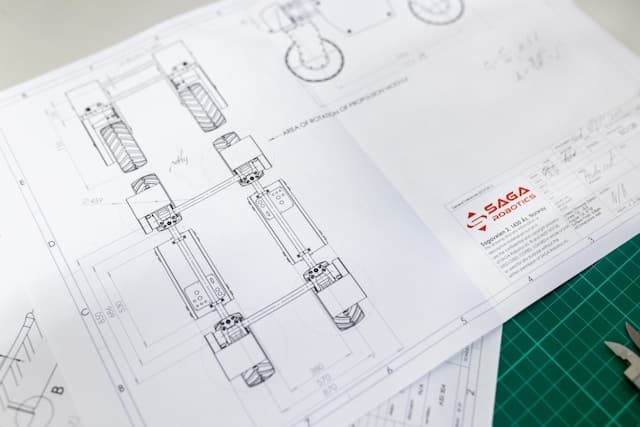
Last week, I had a customer call me in a panic. They'd just received their parts and "nothing fits together!" After looking at their drawings, I found the problem: they'd specified ±0.001" tolerances on every single dimension, including features that didn't need to be that precise. The result? Parts that cost three times more than necessary.
After 30+ years of machining, I've learned that tolerance specification is one of the most misunderstood aspects of CNC machining. Get it right, and your parts work perfectly at a reasonable cost. Get it wrong, and you're either paying for precision you don't need or getting parts that don't fit.
The Tolerance Reality Check
Here's the thing about tolerances: they're not just numbers on a drawing—they're a contract between you and your machine shop. When you specify ±0.001", you're saying "I need this dimension to be within 0.002" of the target, and I'm willing to pay for the extra time and care it takes to achieve that."
The harsh truth: Tighter tolerances always cost more. A part that costs $50 at ±0.005" might cost $200 at ±0.001" because of the additional setup time, slower machining speeds, and more careful inspection required.
Understanding Tolerance Basics
When you see ±0.005" on a drawing, that means the actual dimension can be anywhere from 0.005" below to 0.005" above the nominal size. So if you specify 1.000" ±0.005", the part can measure anywhere from 0.995" to 1.005" and still be acceptable.
Key point: The tolerance is the total range, not the deviation from nominal. ±0.005" means a total range of 0.010", not 0.005".
Common Tolerance Ranges
- ±0.031" (1/32") - General machining, most standard parts
- ±0.010" - Precision machining, good for most applications
- ±0.005" - High precision, requires careful machining
- ±0.001" - Very high precision, expensive and time-consuming
The Art of Tolerance Specification
Start with Function, Not Numbers
Before you put any tolerance on a drawing, ask yourself: "What does this part actually need to do?"
Example: A bracket that holds a sensor doesn't need ±0.001" on its mounting holes—±0.010" is probably fine. But if that same bracket is part of a precision assembly where 0.001" matters, then you need the tighter tolerance.
The 80/20 Rule of Tolerancing
About 80% of dimensions on most parts can use standard tolerances (±0.010" or ±0.005"), and only 20% actually need tight tolerances.
Critical dimensions (tight tolerances needed):
- Mating surfaces
- Bearing fits
- Threaded holes
- Assembly features
Non-critical dimensions (standard tolerances fine):
- Overall size
- Non-mating surfaces
- Cosmetic features
Common Tolerance Mistakes (And How to Avoid Them)
Mistake #1: Over-Tolerancing Everything - Putting ±0.001" on every dimension "just to be safe" means you're paying for precision you don't need.
Mistake #2: Under-Tolerancing Critical Features - Using ±0.031" on a bearing fit that needs ±0.002" means the part won't work properly.
Mistake #3: Inconsistent Tolerancing - Some holes at ±0.001", others at ±0.010" in the same assembly confuses the machinist and increases costs.
Mistake #4: Forgetting About Assembly - Tolerancing individual parts without considering how they fit together results in parts that don't assemble properly.
Working with Your Machine Shop
When you send us a drawing, we'll look at your tolerances and ask questions like: "Does this really need to be ±0.001"?" or "What happens if it's ±0.005" instead?" We want to make sure you're getting the precision you need without paying for precision you don't.
Standard tolerances (what we can do efficiently):
- ±0.010" for most features
- ±0.005" for precision features
- ±0.002" for critical fits
Custom tolerances (possible but expensive):
- ±0.001" and tighter
- Special inspection requirements
The Cost Impact of Tolerances
- ±0.010": Slightly slower speeds, basic inspection
- ±0.005": Slower machining, careful setup, inspection required
- ±0.002": Much slower speeds, precise setup, detailed inspection
- ±0.001": Very slow machining, special tooling, extensive inspection
Real example: A simple bracket costs $25 at ±0.010", $45 at ±0.005", $85 at ±0.002", and $150 at ±0.001".
Practical Tolerance Guidelines
For most applications: Start with ±0.010" for general dimensions, use ±0.005" for features that need to be precise, reserve ±0.002" and tighter for truly critical features only.
For prototypes: Use standard tolerances unless you're testing a specific fit. You can always make it tighter later, but you can't make it looser.
The Bottom Line
Tolerances are about balance—getting the precision you need without paying for precision you don't. Start with standard tolerances and only tighten them where function requires it.
My advice: Talk to your machine shop about what's really necessary—we've seen thousands of parts and can help you avoid common mistakes. A well-toleranced part that works perfectly is better than an over-toleranced part that costs three times as much.
Need help with tolerancing? At Multitech Manufacturing in Fremont, California, we work with customers every day to get tolerances right. Contact us for a free tolerance review—we'll look at your drawing and help you specify exactly what you need, nothing more, nothing less.